

Best Apps for Booking Last-Minute Flights
Booking a flight with two days’ notice is a completely different game than planning three months out. Prices behave differently, the “best” apps change, and most general flight-deal advice (set alerts, wait for a sale, book on a Tuesday) simply doesn’t apply anymore. When you need to book last-minute flights, you need tools built for speed, real-time availability, and fare types that don’t show up in a typical search — and that’s what this guide is actually about.
I’ve booked more same-week and next-day flights than I’d like to admit — a funeral with 18 hours’ notice, a work trip moved up by a partner who forgot to tell me, a spontaneous long weekend because a friend’s flight got cheap. Each time, the app I opened mattered more than the day of the week I booked on.
⚡ Quick Answer
For most people booking within 72 hours, Google Flights and Kayak are the best combination — Google Flights for speed and accuracy, Kayak for its “Hacker Fares” and flexible filtering. If you’re open to sitting near the airport, Skiplagged can surface fares 30–50% cheaper through hidden-city ticketing (with real tradeoffs, explained below). For domestic last-minute travel specifically, Hopper’s “Fly Now” alerts and same-day drop notifications are worth checking before you buy anywhere else.
📊 Quick Facts: Last-Minute Flight Booking Apps at a Glance
| App | Best For | Typical Fee | Booking Window Strength | Platform |
| Google Flights | Fast comparison, price history | Free | 0–14 days | Web, iOS, Android |
| Kayak | Filtering + flexible dates | Free | 0–30 days | Web, iOS, Android |
| Hopper | Same-day price drop alerts | Free (fees on booking) | 0–7 days | iOS, Android |
| Skiplagged | Hidden-city fares | Free (small booking fee) | 0–3 days | Web, iOS, Android |
| Momondo | Budget/regional carriers | Free | 0–14 days | Web, iOS, Android |
| Skyscanner | Broad OTA + airline coverage | Free | 0–14 days | Web, iOS, Android |
| Airline apps (direct) | Standby, same-day changes | Free–$75 change fee | 0–24 hrs | iOS, Android |
Why Last-Minute Flight Booking Works Differently
Most flight-deal content is written for people planning weeks or months ahead — that’s when fare classes, seasonal pricing, and “best day to book” tricks actually matter. Inside a 72-hour window, airlines shift into a different pricing logic entirely: unsold seats get released through last-minute fare buckets, business-fare seats sometimes get discounted to avoid flying empty, and standby/same-day-change options open up that don’t exist further out.
Most travelers don’t know this, but airlines often drop prices on certain routes 24–48 hours before departure specifically to fill seats that corporate travelers cancelled — which is exactly the window these apps are built to catch.
The 7 Best Apps for Booking Last-Minute Flights
1. Google Flights — Best Overall for Speed and Accuracy
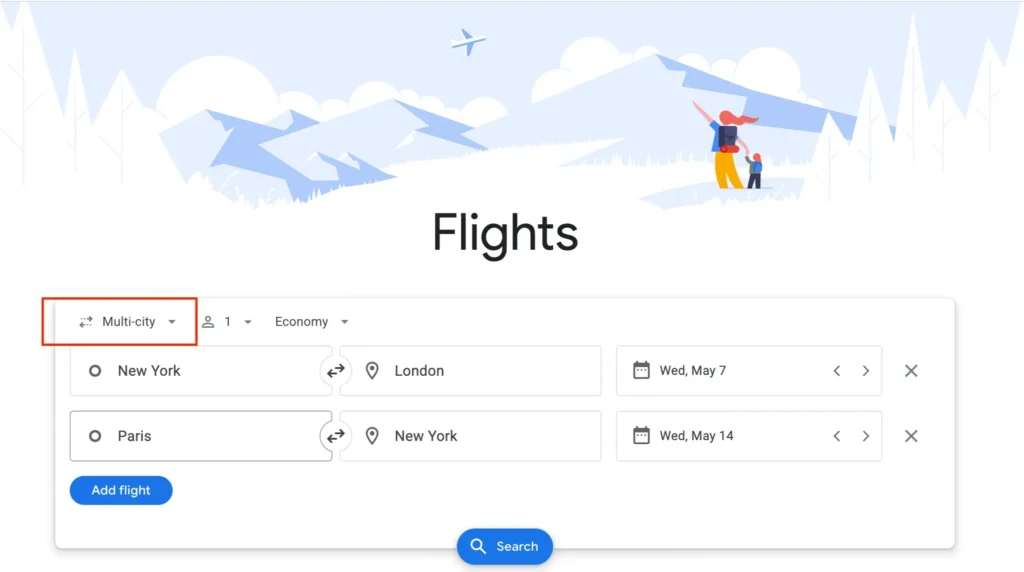
Google Flights remains the fastest way to see real-time pricing across almost every major carrier, without ads or affiliate clutter slowing down results. Its price history graph shows you whether today’s fare is actually low for that route, even with no notice period at all — genuinely useful when you have to decide in minutes, not days.
What it does well: date-flexible grid view, price tracking, and direct links to book through the airline (no third-party markup). Limitation: it doesn’t sell tickets itself, so you’re redirected to the airline or an OTA to complete booking, which adds a step when speed matters most.
2. Kayak — Best for Filtering Under Time Pressure
Kayak’s “Hacker Fares” feature stitches together one-way tickets from two different airlines, which frequently beats a round-trip fare on last-minute routes where one direction is in high demand. Its filters for layover length, arrival time, and specific airlines let you narrow results fast when you can’t afford to scroll through 40 options.
Real tip: use Kayak’s “Explore” map only if your destination is flexible — for a fixed destination, jump straight to the flight search to save time.
Read more about how to use Kayak to find cheap flights.
3. Hopper — Best for Same-Day Price Drop Alerts
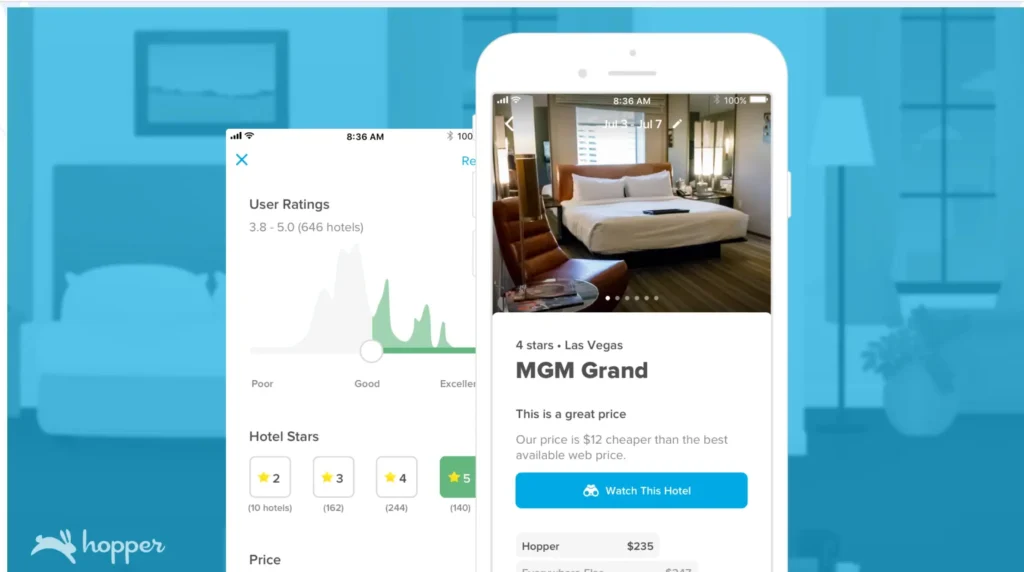
Hopper’s app-only interface pushes notifications the moment prices shift on routes you’re watching, including same-day changes — something desktop tools often miss. Its price prediction tool (Wait/Book) is trained on historical data, and while it’s designed more for forward planning, its “watch” feature still catches short-term volatility well.
Watch out for: Hopper adds its own service fees on top of the base fare, so always cross-check the total against Google Flights before confirming.
4. Skiplagged — Best for Hidden-City Fares (With Real Tradeoffs)
Skiplagged surfaces “hidden-city” itineraries — booking a flight with a layover in your actual destination and simply not taking the final leg. This can cut last-minute fares by 30–50% on certain routes, especially hub-to-hub itineraries. Based on travel insights from frequent flyers, this trick works best one-way, with no checked bags, and never on a return leg of a round-trip (airlines can cancel the rest of your itinerary if you skip a segment).
Important limitation: this violates most airlines’ contracts of carriage. It’s not illegal, but it can result in frequent-flyer account penalties if done repeatedly. Use sparingly, not as a default strategy.
5. Skyscanner — Best for Broad Route and Airline Coverage
Skyscanner’s strength is breadth — it indexes more regional and budget carriers than Google Flights in many parts of Europe, Asia, and Latin America. For last-minute international travel where a smaller local airline might have the only remaining seats, Skyscanner often finds fares that larger US-based tools miss entirely.
6. Momondo — Best for Surfacing Budget Carriers
Momondo’s algorithm frequently returns low-cost carrier options that don’t appear in Google Flights or Kayak, particularly on European and Southeast Asian routes. It’s slower to load than Google Flights, so it’s a strong second search rather than your first stop when time is tight.
7. Airline Apps (Direct) — Best for Standby and Same-Day Changes
If you already hold a ticket and need to move earlier, airline apps like Delta, United, and Southwest often let you request same-day standby for a small fee ($0–$75) — far cheaper than booking a brand-new last-minute fare. This only works if you already have a ticket on that route; it’s not a booking tool for a first-time purchase.
Cost Breakdown: What Last-Minute Flights Actually Cost
| Booking Window | Typical Price Premium vs. 3-Week Advance |
| 0–24 hours | +40% to +120% |
| 1–3 days | +25% to +70% |
| 4–7 days | +10% to +35% |
| 8–14 days | +5% to +20% |
These are general patterns, not guarantees — a route with excess capacity can drop in price even the morning of departure, while a high-demand route (holiday weekends, major events) can spike well beyond these ranges. Domestic US routes tend to follow this curve more predictably than international ones, where last-minute pricing is far more route-dependent.
Practical Tips for Booking Last-Minute Flights
- Search in an incognito window. This isn’t dynamic pricing based on your device (that’s mostly a myth), but it does prevent cached results from showing you stale prices.
- Check Tuesday and Wednesday departures first. Last-minute fares on mid-week domestic flights are still, on average, cheaper than weekend departures — one of the few “old rules” that still holds up.
- Call the airline directly if the app shows “no seats available.” Apps sometimes lag behind live inventory by 15–30 minutes; a phone agent can occasionally see seats the app hasn’t updated yet.
- Consider nearby airports within a 60–90 minute drive. A last-minute fare from a secondary airport can be $150–$300 cheaper than the same day from a major hub.
- Use two apps, not one. Cross-checking Google Flights against Kayak or Skyscanner takes under two minutes and regularly surfaces a $40–$100 difference for the identical flight.
Mistakes to Avoid When Booking Last-Minute
- Booking the first result without checking a second app. Last-minute inventory changes fast, and different platforms don’t always pull from the same cached data.
- Ignoring baggage fees on budget carriers. A “cheap” $89 fare on a low-cost airline can end up pricier than a $140 full-service fare once bags and seat selection are added.
- Using hidden-city ticketing on a round-trip. Skipping a leg can get the rest of your itinerary automatically cancelled.
- Forgetting travel insurance for genuinely last-minute trips. Ironically, this is when things are most likely to go wrong (missed connections, sudden itinerary changes), yet it’s the trip type most people skip insurance on.
- Assuming Tuesday booking myths apply to last-minute fares. The “book on Tuesday for the cheapest flights” advice is built around advance planning, not 24–72 hour windows — inside that window, time of day matters more than day of week.
Pros and Cons of App-Based Last-Minute Booking
Pros:
- Real-time price comparison across dozens of carriers in seconds
- Price alerts catch drops you’d otherwise miss while multitasking
- Flexible-date tools reveal cheaper departure times close to your ideal date
Cons:
- Third-party apps sometimes add service fees not visible until final checkout
- Inventory lag means an app can show a fare that’s already sold out
- Hidden-city and budget-carrier fares carry real tradeoffs (cancellation risk, baggage costs)
Which App Is Right for You?
- If you want the fastest, most reliable comparison: Google Flights.
- If you want deep filtering and combinable one-way fares: Kayak.
- If you want alerts pushed to your phone the moment prices move: Hopper.
- If your destination has a layover you could exit at: Skiplagged (used carefully, one-way only).
- If you’re flying a less common international route: Skyscanner or Momondo.
- If you already have a ticket and want to fly earlier: the airline’s own app, via standby.
Who Should (and Shouldn’t) Use These Apps
Best for: frequent flexible travelers, remote workers, people managing family emergencies, and anyone comfortable comparing 2–3 tools before buying.
Less ideal for: travelers who need guaranteed seat selection, families needing seats together on a sold-out flight (last-minute inventory rarely allows this), or anyone uncomfortable with hidden-city ticketing’s fine print.
Final Verdict
There’s no single “best” app for last-minute flights — the right tool depends on how much time you have and how flexible you are. For most people, opening Google Flights first and cross-checking against Kayak covers 80% of last-minute scenarios well. Add Hopper if you want push alerts, and keep Skiplagged in your back pocket for the rare route where a hidden-city fare makes sense. The travelers who consistently get the best last-minute prices aren’t using one perfect app — they’re comparing two or three in under five minutes before they book.
Frequently Asked Questions
Is it actually cheaper to book flights last-minute? Rarely. Most last-minute fares carry a 25–70% premium over booking two to three weeks out. The exception is when airlines discount unsold seats 24–48 hours before departure to avoid flying empty, which does happen but isn’t guaranteed on any given route.
What is the best time of day to book a last-minute flight? Early morning (roughly 5–7 a.m. local time) often shows the newest fare releases, since airlines frequently update last-minute pricing overnight. This isn’t a guarantee, but it’s a pattern worth checking first.
Is Skiplagged safe to use for last-minute bookings? It’s legal but violates most airlines’ contracts of carriage. It works best for one-way trips with no checked luggage, and repeated use can occasionally trigger frequent-flyer account flags. Use it selectively, not as a default.
Do flight prices really drop right before departure? Sometimes, but it’s unpredictable and route-specific. Business and holiday routes rarely drop; leisure routes with excess capacity sometimes do. It’s not reliable enough to plan around if you must travel on a specific day.
Can I get a cheaper fare by calling the airline instead of using an app? Occasionally. Apps can lag 15–30 minutes behind live airline inventory, so a phone agent sometimes sees seats or fare classes the app hasn’t updated yet — particularly useful when an app shows “sold out.”

Flightour is a travel platform that helps you discover top destinations, hidden gems, and expert travel tips worldwide. We make travel simple, affordable, and unforgettable—whether you’re planning a solo trip, family vacation, or a dream getaway.
Explore more, travel better with Flightour.